


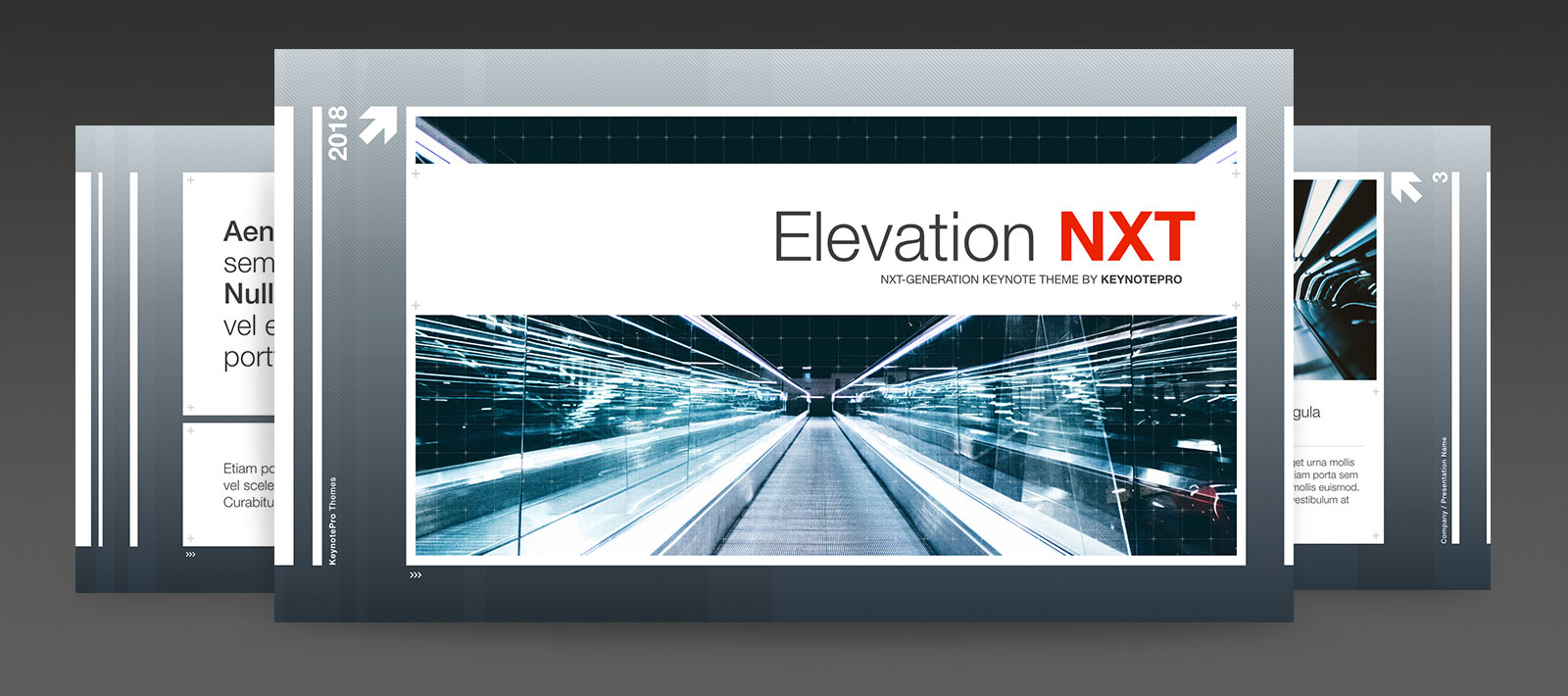
Take Keynote to new heights with Elevation NXT: a strikingly modern design, built on understated detail and a flexible, ordered framework that keeps your audience looking forward.


Implied Motion.
The Elevation layouts shift the balance of foreground and background from slide to slide, creating a sense of motion that becomes even more pronounced when multiple slides are "bridged" with push or cube transitions.
The Elevation theme has been a consistent fan-favorite since its original release, appreciated for its aggressive, modern styling and forward-looking, contemporary edge. Elevation NXT - our latest next-generation release - builds on the tradition of those previous releases while adopting a wholly remastered framework, modernized grid and color specifications, and a host of architectural improvements to propel Elevation into the NXT era.
Elevation's high-tech appeal makes it especially well suited for architectural, scientific or high-impact corporate topics, with a range of detail-driven layouts and extras brought together in a design that's equally well-suited for a wide variety of general-purpose topics. The included layouts - from traditional text-oriented slides to inset and layered photo slides - feature clean, easy-to-read type and bullets on content "panels" that can stand alone or become one long stream of content when multiple slides are brought together in a push or cube transition. The accompanying chart palette subtly echoes the background texture, with a subdued gradient and ridge-texture pattern that reveals more detail as more of the fill is exposed, and slide numbers become a natural, secondary accent on nearly every slide in a style that doesn't divert eyes from your content. And the entire Elevation NXT framework is optimized for everything the modern Keynote architecture offers, including a a full suite of color, type and table styles that make it a snap to tailor each slide - or your entire presentation - to your unique, individual taste.
What's New? What's NXT.
The Elevation themes have been remastered from the ground up in the evolution from '09 to NXT, retaining the soul and style of the original theme while refining the architecture, grid, palettes and slide types to be more flexible than ever before. The entire master slide library has been overhauled with a less-is-more approach, eschewing dated or retired masters in favor of more focused, targeted variations around an expanded range of core content models - yielding a smaller library that manages to offer more versatility than ever before. The signature Panel Framework and textures have been modernized and refined, with a cleaner, more contemporary feel. And the Elevation NXT themes are fully optimized for the shape, Text and Chart Styles introduced in Keynote 6, so you can customize the principal color or type styles used throughout the entire theme to match your own corporate color or type standards in just a few short clicks.

Picture Perfect.
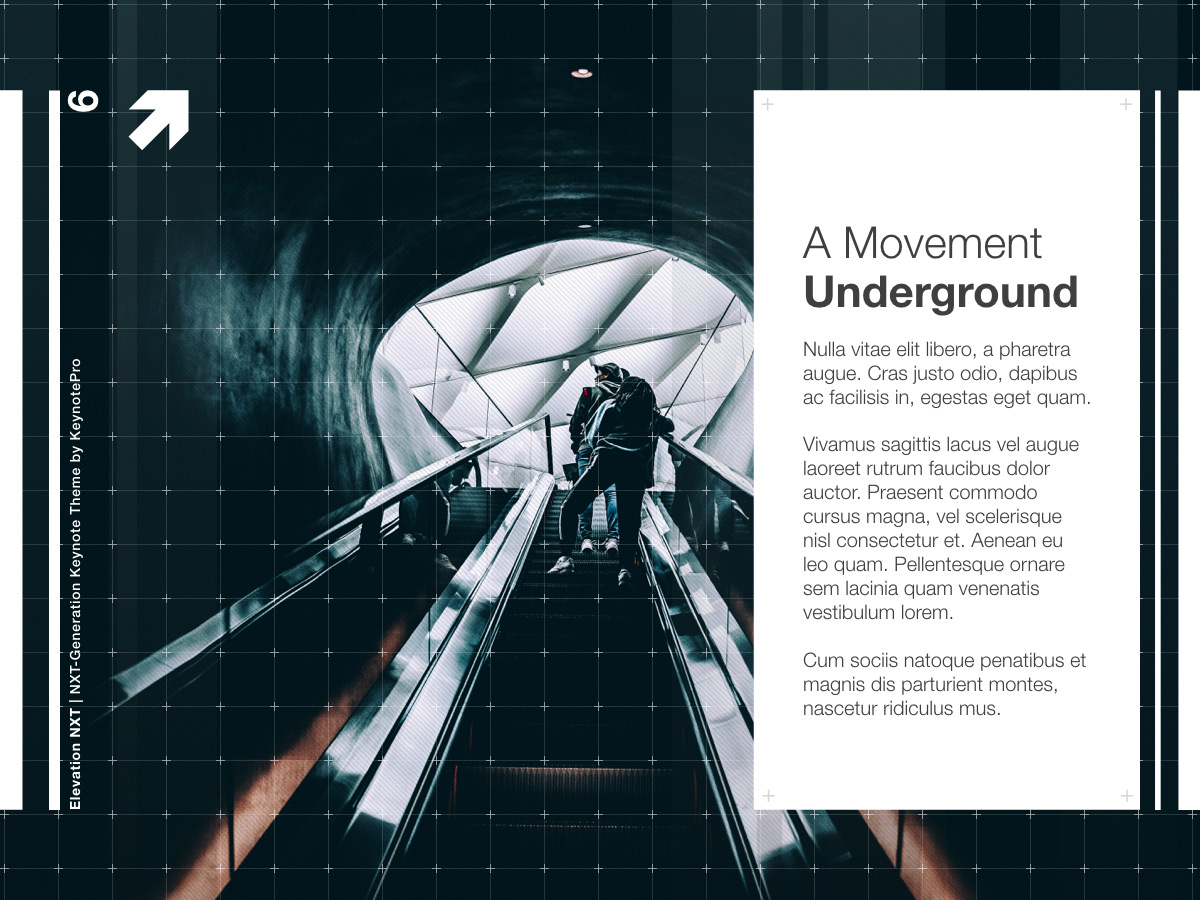
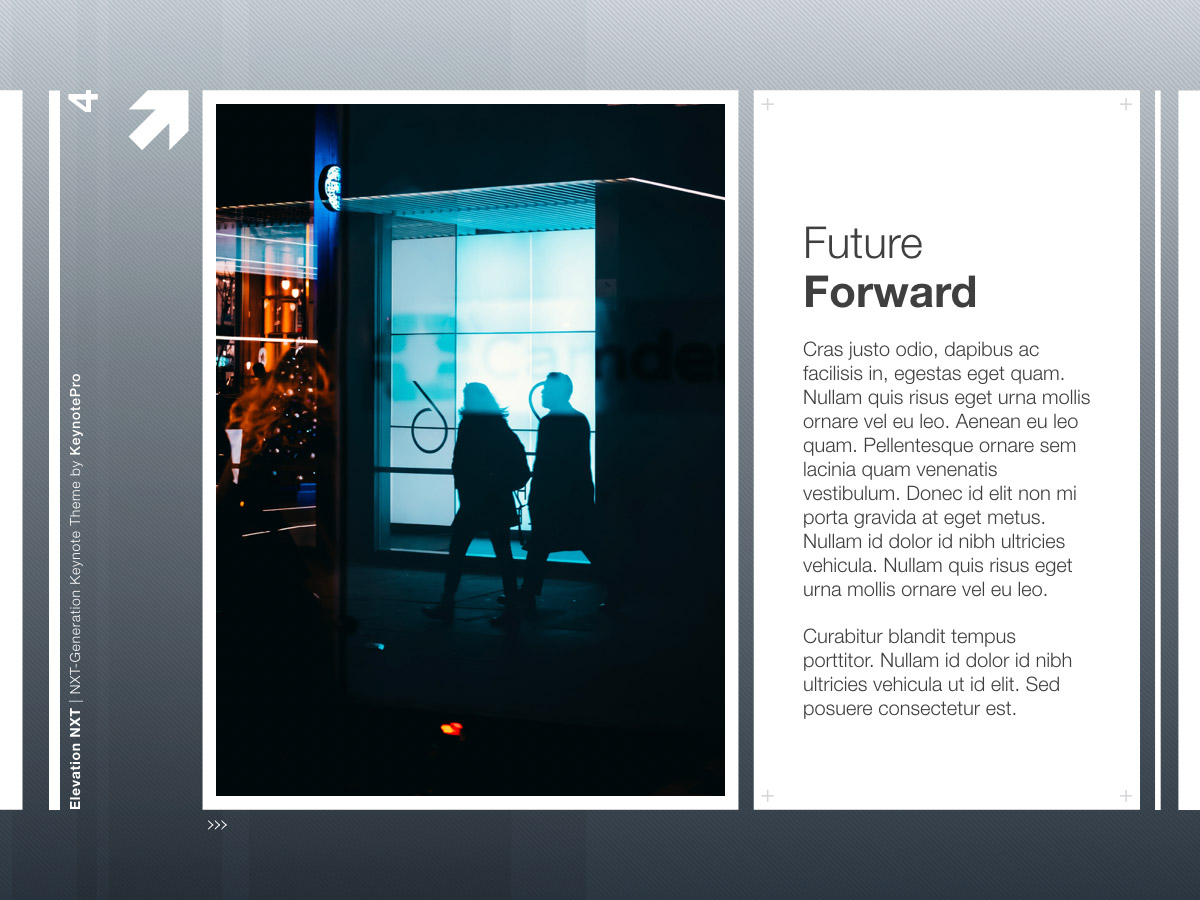
The Elevation NXT theme features a range of commanding text + photo layouts, including Inset, Offset & Layered photo layout styles that allow you to showcase your concepts and ideas in a variety of contexts.
The Slides
The Elevation NXT theme includes up to 46 master slides (HD edition) - a mix of editorial & image-driven layouts in the signature Elevation style. Along with the basic content and photo layouts present in any Keynote 6.x-9.x theme, Elevation NXT also includes an expanded selection of general content-oriented masters, including Percentage Compare & Contrast, Quotations, Speaker and Agenda slides, plus Welcome Slides and multiple styles of narrative and Layered image layouts offering you tremendous flexibility from the start. The accompanying chart fills pop with a crisp, textured style, including a pair of Cool/Warm Spectrum color palettes that allow you to pivot for contrast or mood, along with a tonal Greyscale style perfect for Callout/Contrast charts.
The Big Picture: Elevation NXT HD
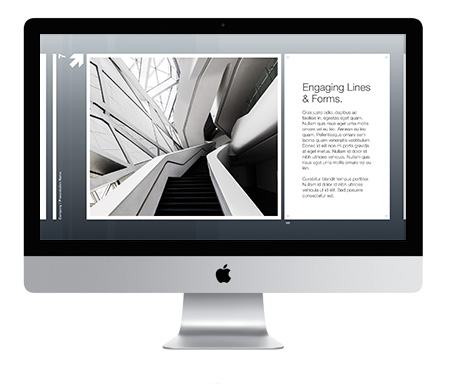
Elevation NXT HD, available in the Pro Edition, expands the style into HD format with an aspect-optimized widescreen version of the Elevation NXT theme, so you can take advantage of the clean simplicity of an iMac, a Mac-driven Cinema Display, or an HD Monitor or Projector as target presentation platforms without the "dead space" associated with running traditional 4:3 presentations on an HD display. Whether attached to an HD display or projecting to an HD-equipped room, your presentation will take full advantage of every inch, custom-tailored to intelligently adapt the Elevation aesthetic to the larger footprint of HD.

Take it on the Run
Can't imagine leaving your favorite portable device out of your work-flow? The Elevation NXT theme is fully compatible with Keynote for iOS and iCloud, so you can transfer a presentation using the Elevation NXT themes to your iPad, iPhone or iCloud Drive for playback or editing with no updates or special workarounds required. And Elevation NXT is also iOS Direct Install enabled, so you can install the Elevation NXT themes directly onto your mobile device from your KeynotePro Account to author new presentations on the go. Keynote for iOS is a beautiful way to engage your audience in a tactile way, and the Elevation NXT style remains just as stunning at arm's length as it is projected on the big screen.
Add-Ons & Extras
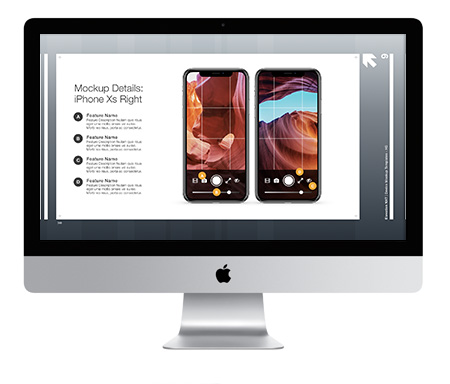
The Elevation NXT theme includes new Template Extensions to make your presentation building even easier. The Elements: Timeline & Pricing Template includes multiple styles of Photo and Milestone Timelines, along with Pricing Table slides ready to Copy & Paste into your Elevation NXT presentations. And the Elements: Device Mockups template enables you to showcase your apps, concepts, and designs on a range of familiar Apple-centric hardware, including narrative and detail layouts featuring MacBooks, iPads, iPhones, and Apple Watches.
Built for Keynote 6.x-9.x
Keynote makes it a snap to create stunning, highly-stylized presentations with absolute ease. From the razor-sharp text and professional charting capabilities, to the wide range of native graphic format and alpha-channel support that makes the unique Image Grid Overlays so functional, Keynote provides you with the tools you need to present richly-detailed, attention-getting presentations with unprecedented ease. And, thanks to it's object-based design, you can transform an Elevation presentation from its understated foundation into an explosive photo or motion-graphic driven presentation in your own style with drag & drop simplicity - looking good every step of the way. Keynote makes it a snap, and Elevation NXT makes sure your audience never misses a beat.
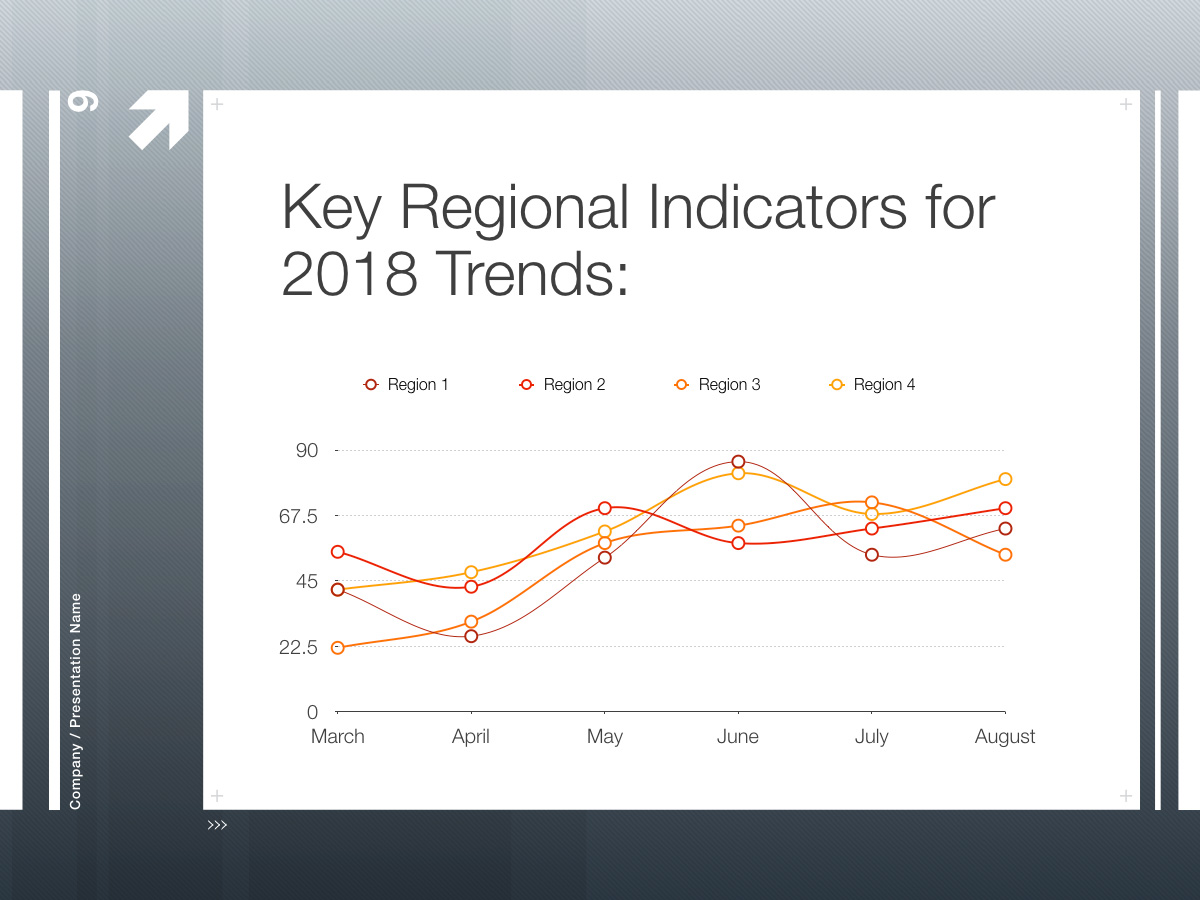
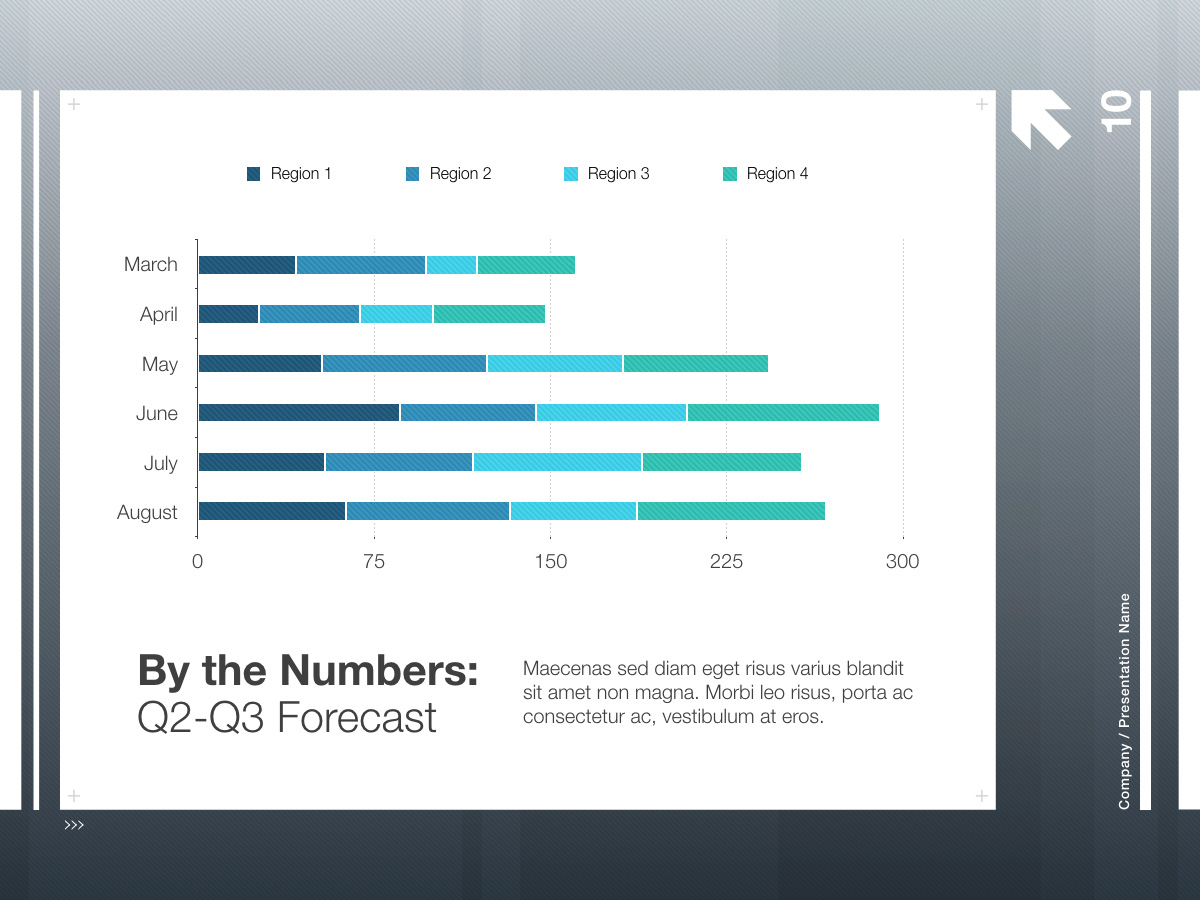
Flexibility, by the Numbers.
The Elevation NXT theme is fully optimized for the Chart Styles palette in Keynote 6.x-9.x, including a pair of Cool/Warm Spectrum color palettes that allow you to pivot for contrast or mood, along with a tonal Greyscale style perfect for creating Callout/Contrast charts.
 |
View Master Slides. View the available Master Slides for the Elevation NXT Theme. |
 |
 |
Elevation NXT in Action. View a sample Elevation NXT presentation video. |
|
 |
Requirements. Elevation NXT requires Keynote 6.0 or higher, and the Helvetica Neue font face. |
All photos shown for demonstration purposes only. iWork, Keynote, Mac, iMac, iPod, iPhone, iPad and the Apple logo are trademarked properties of Apple Inc.
NXT/Theme and NXT Theme are trademarked properties of Walrus Group LLC.
Elevation NXT

Elevation NXT Master Slides & Extras
Elevation NXT in Action.