


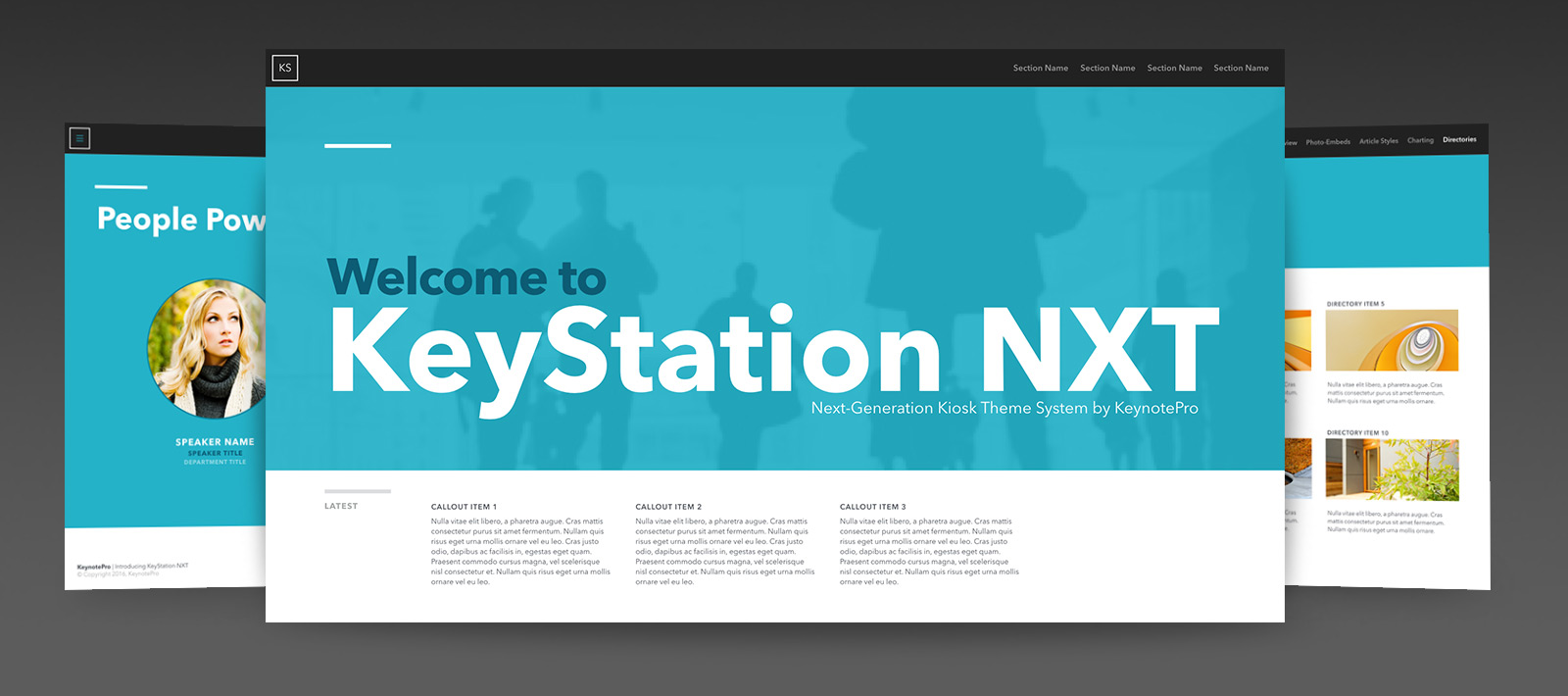
Make a bold impression with KeyStation NXT for Keynote – a presenter / kiosk-mode hybrid theme designed to create eye-catching, engaging and highly-effective kiosks and interactive presentations.


Make the Connections.
The KeyStation NXT themes bring an interaction design approach to Keynote, making it easy to build eye-catching, Keynote-driven Interactive presentation and Kiosks with multiple levels of Menus and Content.
The KeyStation NXT theme was designed to be intuitively easy-to-use, content-flexible and gorgeous to boot. We began with bold swaths of color and and a modern, eye-catching type hierarchy – culminating in a visual system that effortlessly frames bullets, photos and styled narrative alike. The distinctive styling gives standard presentations a clean, contemporary feel while maintaining the flexibility for creating interactive presentations or kiosks with multi-tiered interactive content.
Designed with an eye toward the Web, Apps and Interactive media, the KeyStation NXT theme blurs the line between presentation and interactivity, making it easy to build interactive presentations and kiosks with a User-Interface standard your audience will immediately understand and be able to interact with on their own. Every level of the theme is optimized with information design principles in mind – from the standard "Presenter" slides that span the traditional slide types, to the Kiosk-mode slides that integrate interface-oriented elements such as directories, articles and gallery masters at your fingertips – so you can be ready to present an exceedingly clean, information-rich interactive presentation in no time. Thanks to this approach, even traditional presenters can take advantage of the structured, document-like design and re-purpose the dedicated navigation space to a running logo/title element when navigation options aren't required.
What's New? What's NXT.
While KeyStation NXT shares a root name with some of our older, classic kiosk themes, this is where the similarities effectively end. Every premise behind the KeyStation framework has been re-engineered from the ground up to take advantage of everything the modern Keynote architecture has to offer, completely re-inventing the kiosk presentation for a whole new era.
Multiple styles of Photo-Embed Masters make it easier than ever to create immersive, photo-centric Titles and Callouts that put your imagery into the heart of the layout. An evolved placeholder-object model allows deeper integration of information structure directly into the Master Slides, turning complex layouts like Directories or multi-tiered Home slides into easy, click-to-edit additions to your presentations. Embedded Hierarchies in the Article & Gallery Masters enable you to transform your editorial narratives into highly-styled, magazine-like pages with a few simple Tabs. Master-level Grid Enforcement Objects enable you to place and align your Navigation and Pagination objects with total confidence. And since the KeyStation NXT themes are fully optimized for the new Shape, Text and Chart Styles introduced in Keynote 6, you can customize the principal colors and type styles used throughout the entire theme to reflect your own style more easily and consistently than ever before.


Immersively Structured.
The KeyStation NXT theme includes multiple Photo-Embed styles that integrate your imagery directly into the heart of your layouts, along with more traditional accent and Gallery-style layouts that provide a wider range of story-level options.
The Slides
KeyStation NXT includes 68 Master Slides - a wide range of editorial and photo-oriented layouts in both Standard and Kiosk-optimized styles. The Kiosk-optimized slides cover a range of interactive essentials including multiple Home screen styles, Menu and multi-tier Directory designs, and an array of options for content-driven Article and Gallery sectional designs. Along with the basic text and photo layouts present in any Keynote theme, KeyStation NXT also includes an expanded selection of general content-oriented masters, including Percentage Compare & Contrast, Quotation, Numbered Section Header, Speaker and Agenda slides, and more. The accompanying chart palettes pop with a crisp, solid-color style – making your data eye-catching and legible from every angle. And since the KeyStation NXT themes are built entirely with native Keynote shape objects, you can fully customize the color or placement of the major accent objects on each master slide to better match your corporate palette with click-to-edit ease via the Styles Palette in Keynote 6.x-9.x.
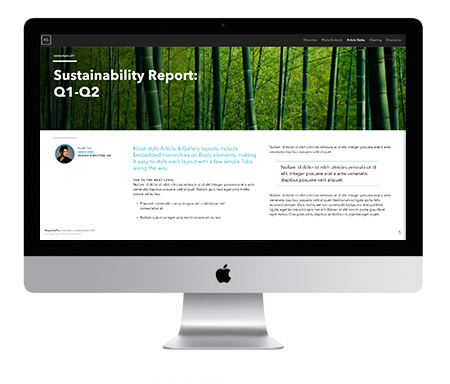
The Big Picture: KeyStation NXT HD.
KeyStation NXT HD, available in the Pro Edition, expands the style into HD format with an aspect-optimized widescreen version of the KeyStation NXT design, so you can take advantage of the clean simplicity of an iMac, a Mac-driven Cinema Display, or an HD Monitor or Projector as target presentation platforms without the "dead space" associated with running traditional 4:3 presentations on an HD display. Whether attached to an HD display or projecting to an HD-equipped room, your presentation will take full advantage of every inch, custom-tailored to intelligently adapt the KeyStation NXT aesthetic to the larger footprint of HD.

Take it on the Run
Can't imagine leaving your favorite portable device out of your work-flow? The KeyStation NXT themes are fully compatible with Keynote for iOS and iCloud, so you can transfer a presentation using the KeyStation NXT themes to your iPad, iPhone or iCloud Drive for playback or editing with no updates or special workarounds required. And KeyStation NXT is also iOS Direct Install enabled, so you can install the KeyStation NXT themes directly onto your mobile device from your KeynotePro Account to author new presentations on the go. Keynote for iOS is a beautiful way to engage your audience in a tactile way, and the KeyStation NXT style remains just as stunning at arm's length as it is projected on the big screen.
Add-Ons & Extras
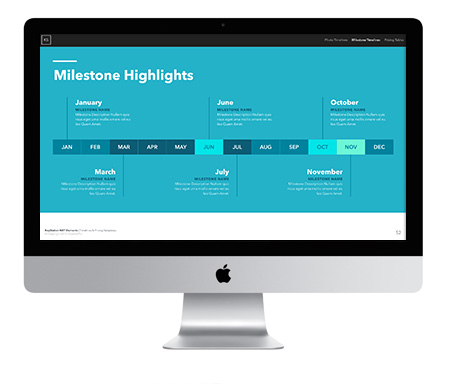
The KeyStation NXT theme includes new Template Extensions to make your presentation building even easier. The Elements: Timeline & Pricing Templates include Single and Multi-Slide Photo Timelines, Milestone Timelines, and Pricing Table slides ready to Copy & Paste into your KeyStation NXT presentation. And the new Elements: FontAwesome Icon Shapes template includes 250 of the most useful FontAwesome icons rendered as native Keynote Shapes, making them safe to include in presentations saved on or shared to iOS or iCloud.
Supplemental Material
Along with the traditional palettes and extras included with our themes, the KeyStation NXT Supplemental Materials file also includes additional resources to make building your interactive presentations a snap. Navigation Constructors include pre-scaled Primary and Secondary Navigation elements, Pagination & Callout buttons, all pre-sized and ready for easy Copy & Paste use. The Supplemental Materials file is itself a fully interactive demo file that provides an overview of basic KeyStation NXT interactive/kiosk-mode to get you started quickly, walking you through the basics of the theme's design and general use of the different Photo-Embed Layout types, the Embedded Hierarchies model on the Article & Gallery slides, as well as tips and guidance for touch optimizations and organization.
Built for Keynote 6.x-9.x
Thanks to the power of Keynote, KeyStation NXT is more than your ordinary kiosk theme. Creating a web-inspired interactive presentation is as easy as selecting a photo placeholder or highlighting text and linking it to another slide – Keynote will even maintain your links for you as you add content or re-arrange your presentation, so you can set up the basics and get right into production in no time, knowing that your transitions will still grab attention, no matter if the next slide is the next literal slide away or at the other end of your presentation. From the razor-sharp text and professional charting capabilities, to the wide range of native graphic format support that give you unprecedented flexibility with your imagery and media, it's never been so easy to look so good - from presentation screen to printout & beyond - with so little effort. And thanks to the new Shape and Text Styles introduced with Keynote 6, it's never been easier to customize every aspect of your KeyStation presentation in a few short steps. It's easy every step of the way, and wrapped in a contemporary, professional look that'll get you noticed the first time you take the floor - or the moment your potential client walks through the door.
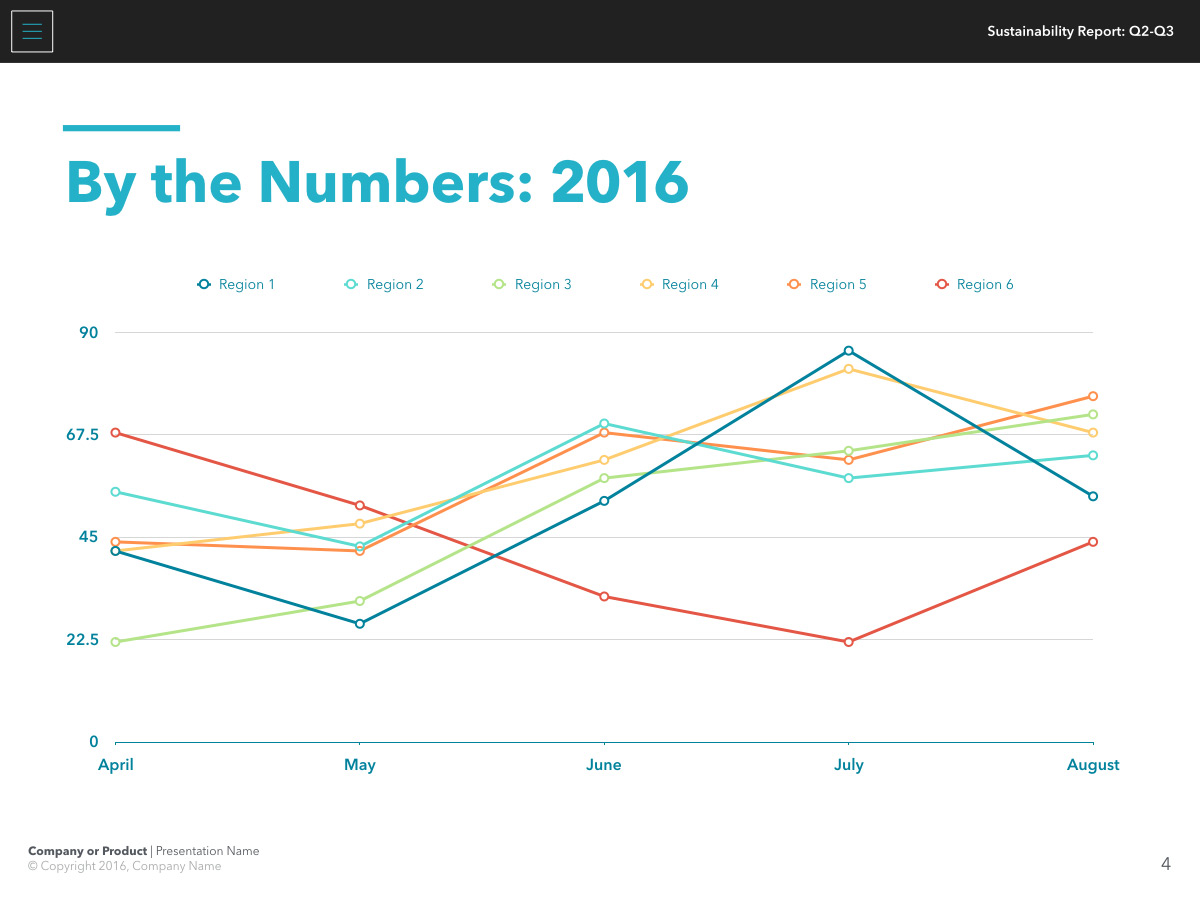
By the Numbers.
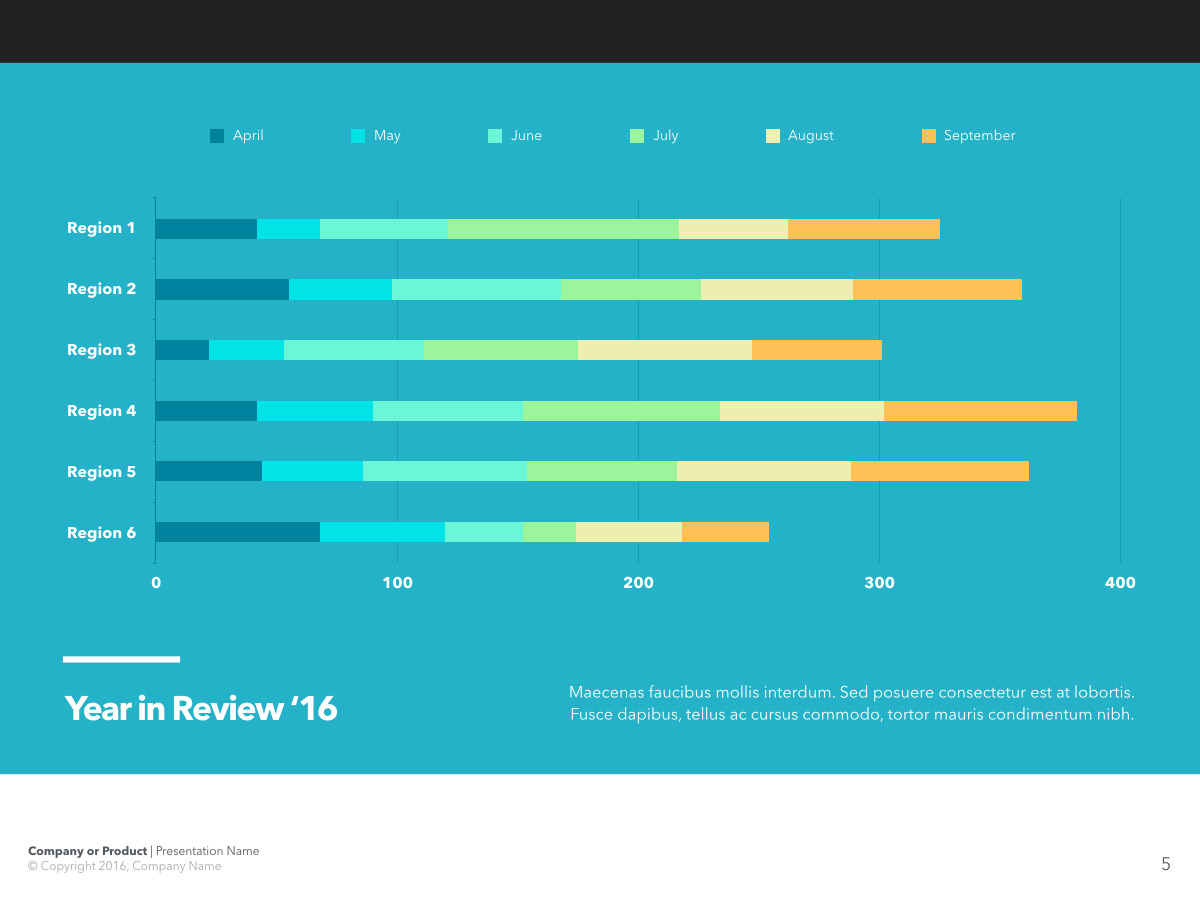
The KeyStation NXT themes are fully optimized for the new Chart Styles palette in Keynote 6.x-9.x, including an eye-catching On-Color mix and an expanded On-White variation, allowing you to pivot on mood or contrast.
 |
View Master Slides. View the available Master Slides for the KeyStation NXT Themes. |
 |
 |
KeyStation NXT in Action. View a sample KeyStation NXT presentation video. |
|
 |
Requirements. KeyStation NXT requires Keynote 6.0 or higher, and the Avenir Next font face. |
All photos shown for demonstration purposes only. iWork, Keynote, Mac, iMac, iPod, iPhone, iPad and the Apple logo are trademarked properties of Apple Inc.
NXT/Theme and NXT Theme are trademarked properties of Walrus Group LLC.
KeyStation NXT

KeyStation NXT Master Slides & Extras
KeyStation NXT in Action.